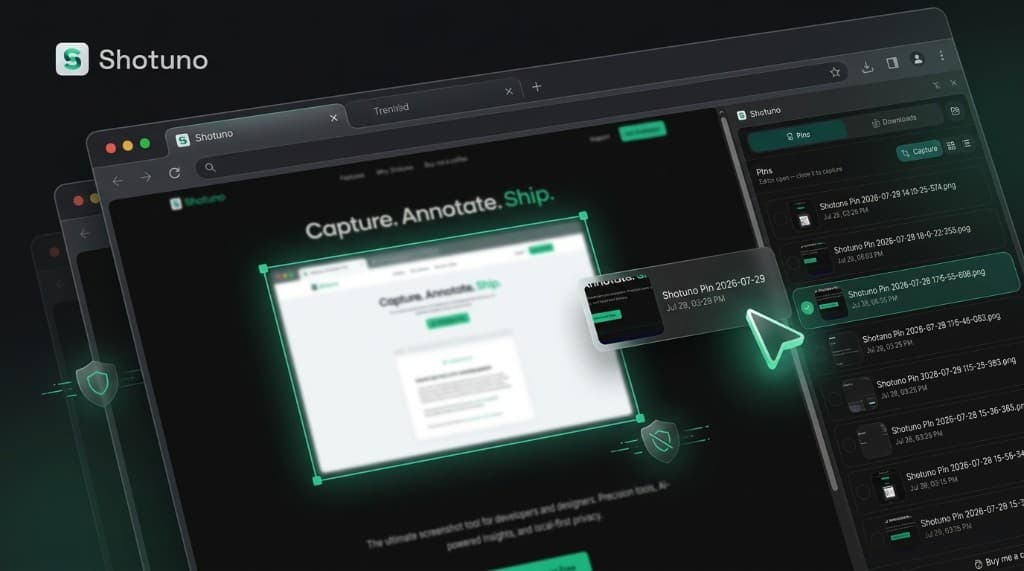
Powerful Annotation & Capture Tools
Everything you need to capture, edit, and organize visual information.
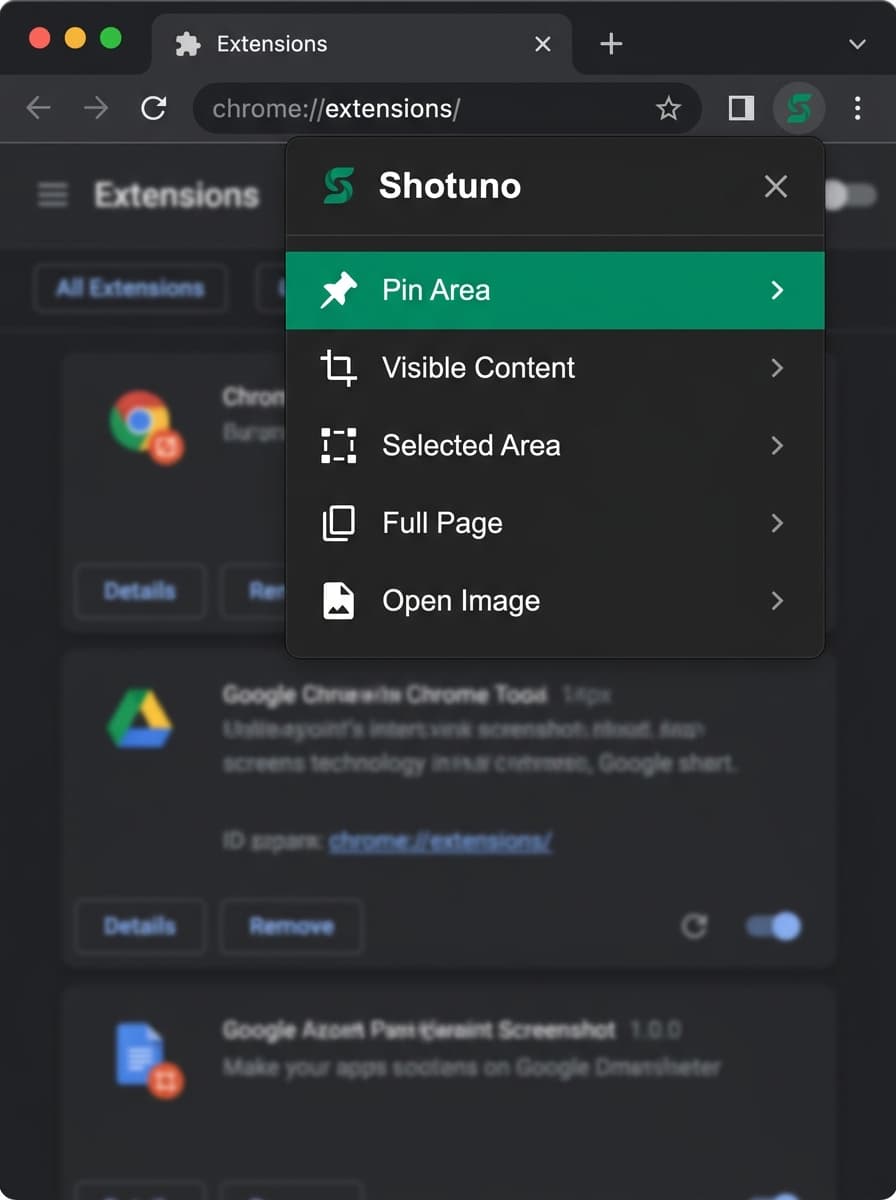
4 Capture Modes Built for Speed
Capture any web page, tab, or element in milliseconds with keyboard shortcuts or 1-click popup actions.
Pin Area
Save specific selection straight to side panel pins library for any tab.
Visible Content
Instant 1-click capture of the currently visible screen area.
Selected Area
Drag a custom box region for immediate in-page canvas markup.
Full Page
Automatically scroll long web pages into a high-res single capture.
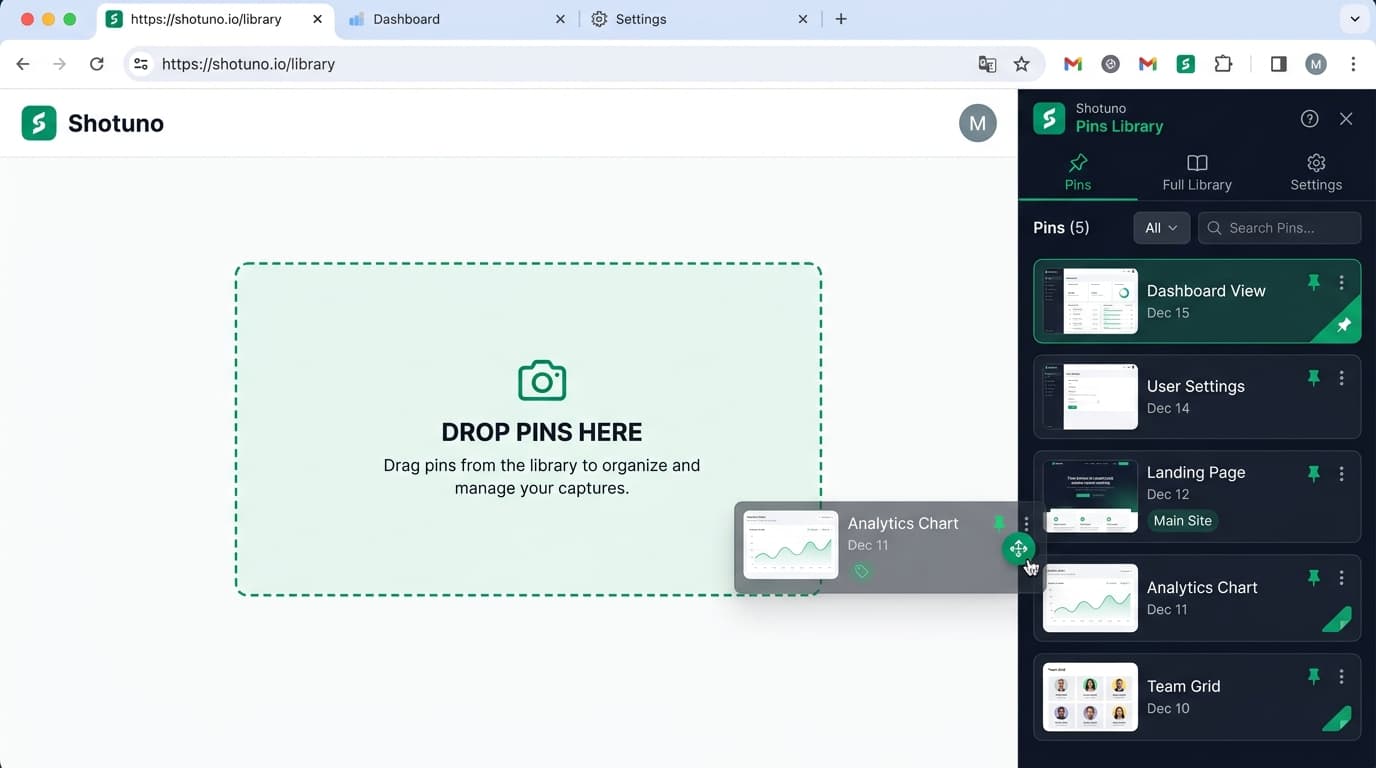
Pin Screenshots. Drag & Drop Anywhere.
Never lose a capture. Save screenshots per tab into your Chrome Side Panel and drag shots directly onto web pages, Jira, GitHub, or Slack.
Precision Annotations - Built for Developers & Designers
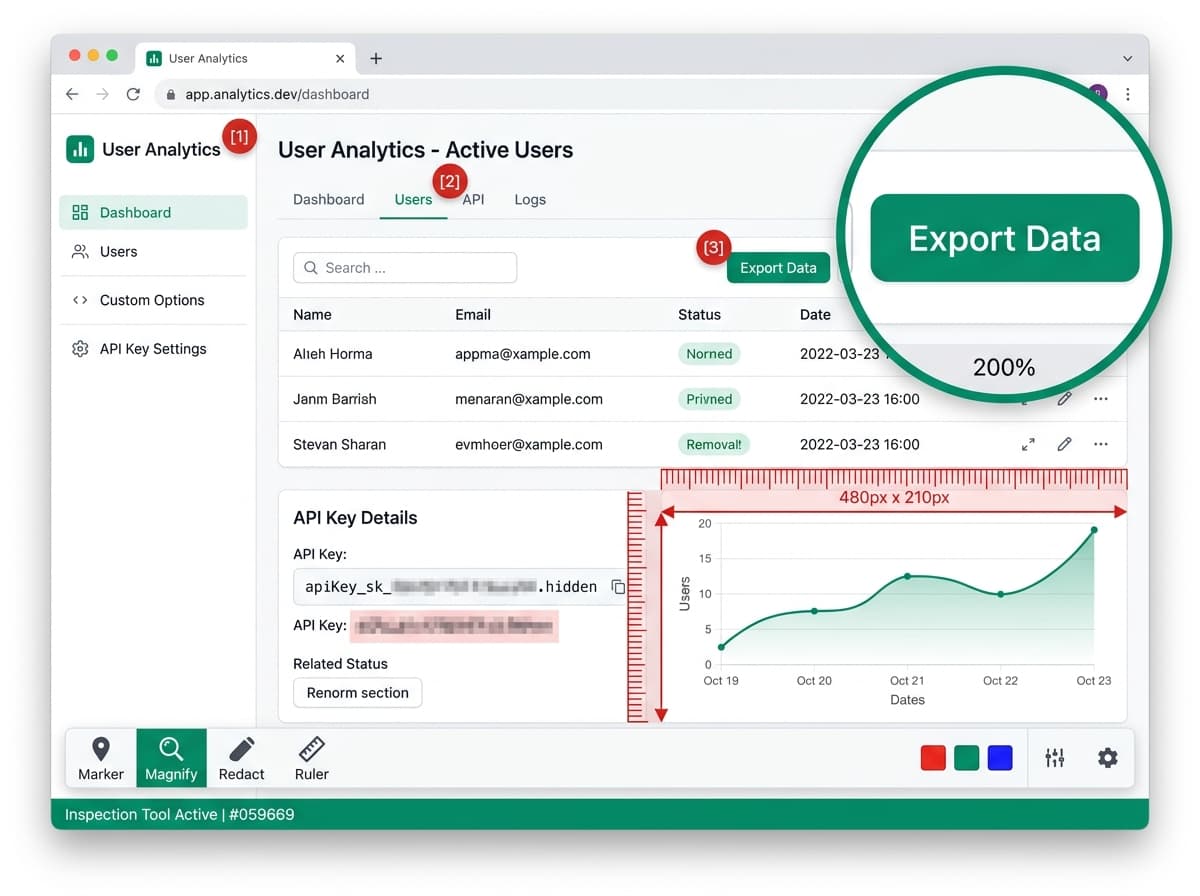
High-contrast annotation markers, magnifier loupe, auto-redaction, and pixel ruler in one canvas.
Step Counters 1-2-3
Place bright red numbered badges (1, 2, 3) to guide users along steps seamlessly.
2X Zoom Loupe
Floating circular magnifier lens zooming 200% into intricate code snippets or pixel details.
Smart Privacy Blur
Auto-detect and obscure passwords, email addresses, credit cards, and sensitive API keys.
Pixel Measurement Ruler
Overlay exact pixel width and height dimensions directly on screen elements.
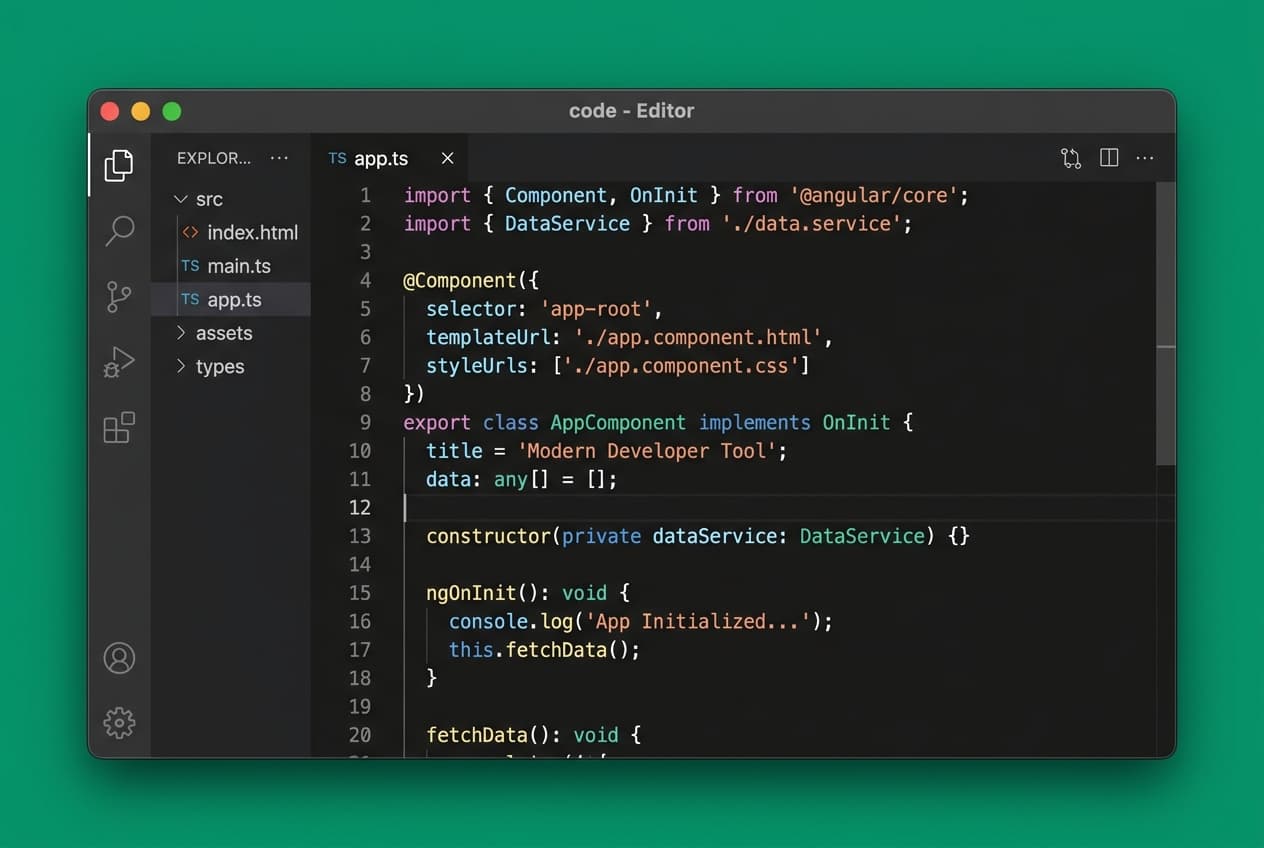
macOS & Windows Browser Frames
Transform raw captures into beautiful visual assets with custom window chrome, rounded corners, padding sliders, and background fills.
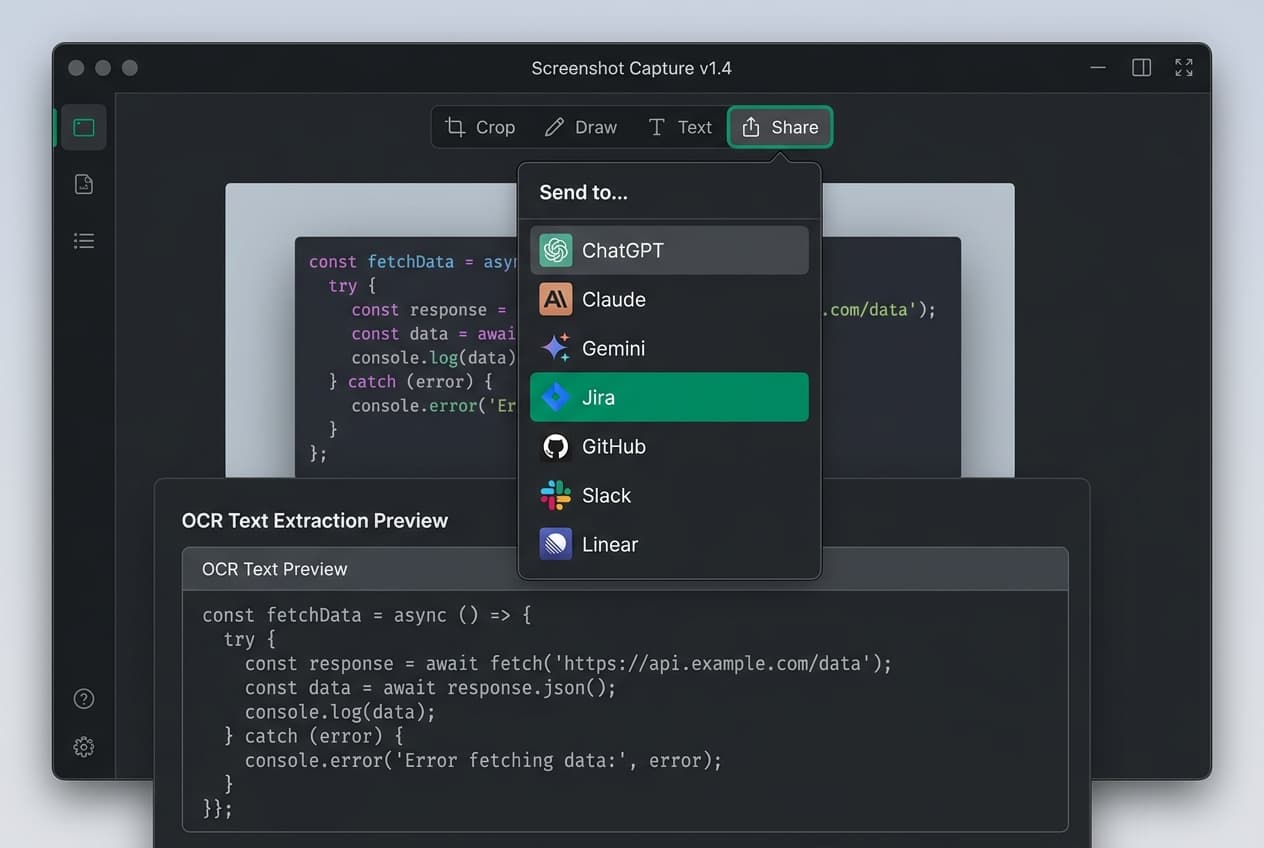
Instant OCR & 1-Click Send to AI
Extract text instantly from screenshots or auto-paste annotated captures into ChatGPT, Claude, Gemini, Jira, GitHub, Slack, and Linear in one click.
Why Shotuno?
Do more for less with precision tools and local-first privacy.
| Feature | Shotuno | Awesome Screenshot | CleanShot X | Snagit |
|---|---|---|---|---|
| Pricing Model | $0 Free / $40 Lifetime | $72/year | $29 + $19/yr | $39+/year |
| In-Tab Editor | Pinned on active tab | Separate tab | Desktop app (Mac) | Desktop app |
| Side Panel Pins Library | Per-tab side panel | Cloud history | Desktop library | |
| Drag & Drop to Web Apps | Jira / GitHub / Slack / AI | |||
| Smart Privacy Blur | Auto-redact keys & passwords | Manual only | Manual only | Manual only |
| Instant OCR Text Extract | Instant in-browser OCR | Basic cloud OCR | Mac OCR | Desktop OCR |
| Smart Auto-Paste to AI & SaaS | 1-Click ChatGPT/Claude/Jira | |||
| Step Counters 1-2-3 & Loupe | Auto-numbered & 2X Loupe | Basic markers | ||
| Highlight Area & Spotlight | Dimmed spotlight backdrop | Marker only | Marker only | |
| Pixel Measurement Ruler | In-canvas dimensions & padding | |||
| macOS / Windows Frames | Window chrome + gradients | Mac window only | ||
| Local Privacy | 100% local (no cloud upload) | Cloud upload |
Simple, Transparent Pricing
Get started for free or unlock advanced pro feature tools.
Free Plan
Essential capture & annotation tools with 15 daily Pro credits.
- 15 Daily Pro credits (OCR, Smart Blur, AI Send)
- Full Page, Area & Visible screen captures
- Core annotations (Arrow, Rect, Text, Brush, Counter 1-2-3)
- Side Panel Pins & Gallery library
- 100% Local-first privacy (No cloud upload)
Pro Plan
Flexible monthly access to all Pro features.
- Everything in Free, plus:
- Unlimited Pro Feature Uses (Zero daily limits)
- Smart Auto-Paste to AI (ChatGPT, Claude, Gemini)
- Smart Privacy Blur (Auto-detect & redact secrets)
- Unlimited OCR Text Extraction
- 2X Loupe Magnifier & Pixel Measurement Ruler
- macOS & Windows Browser Frames + Gradients
- Custom Text & Logo Watermarks
Pro Lifetime
One-time payment for lifetime access to all Pro features and future updates.
- Everything in Free, plus:
- Unlimited Pro Feature Uses (Zero daily limits)
- Smart Auto-Paste to AI (ChatGPT, Claude, Gemini)
- Smart Privacy Blur (Auto-detect & redact secrets)
- Unlimited OCR Text Extraction
- 2X Loupe Magnifier & Pixel Measurement Ruler
- macOS & Windows Browser Frames + Gradients
- Custom Text & Logo Watermarks
Frequently Asked Questions
Have questions? We're here to help.
Shotuno is local-first, lightweight, and features an in-page floating editor directly on your active Chrome tab. You can capture, annotate, and drag-and-drop saved screenshots straight from the Chrome Side Panel into any web page, Jira ticket, GitHub issue, or Slack without opening external apps or switching tabs.
Every Free user gets 15 Pro credits every 24 hours to test premium tools like Smart Privacy Blur, Instant OCR, and Smart Auto-Paste to AI & SaaS. All standard capture modes (Area, Visible, Full Page) and core annotation tools (Arrows, Shapes, Text, Brush, Counter markers) remain 100% free forever without using credits.
Shotuno Pro unlocks unlimited access to all features with zero daily credit limits. You get unlimited side panel pins, Smart Privacy Blur (auto-redact sensitive info/keys), 2X Zoom Loupe Magnifier, Pixel Measurement Ruler, macOS/Windows window frames, custom watermarks, and unlimited AI OCR text extraction.
No! Your privacy is guaranteed. All screenshot processing, canvas annotations, image editing, and side panel gallery storage happen 100% locally within your Chrome browser. Your captures are never uploaded to third-party servers unless you explicitly trigger an AI parse request.
Click "Send to..." in the editor or side panel, and select your destination (ChatGPT, Claude, Gemini, Jira, GitHub, Slack, Linear). Shotuno automatically opens the target tab and pastes your annotated screenshot directly into the input field in 1 click.
We offer flexible Pro Monthly ($2.99/mo), Pro Annual ($27/yr - save ~25%), and Pro Lifetime ($40 one-time) plans so you can choose the billing model that best fits your workflow or team invoicing.
Ready to Capture, Annotate, and Ship Faster?
Join developers and designers upgrading their screenshot workflow with precision tools and local-first privacy.